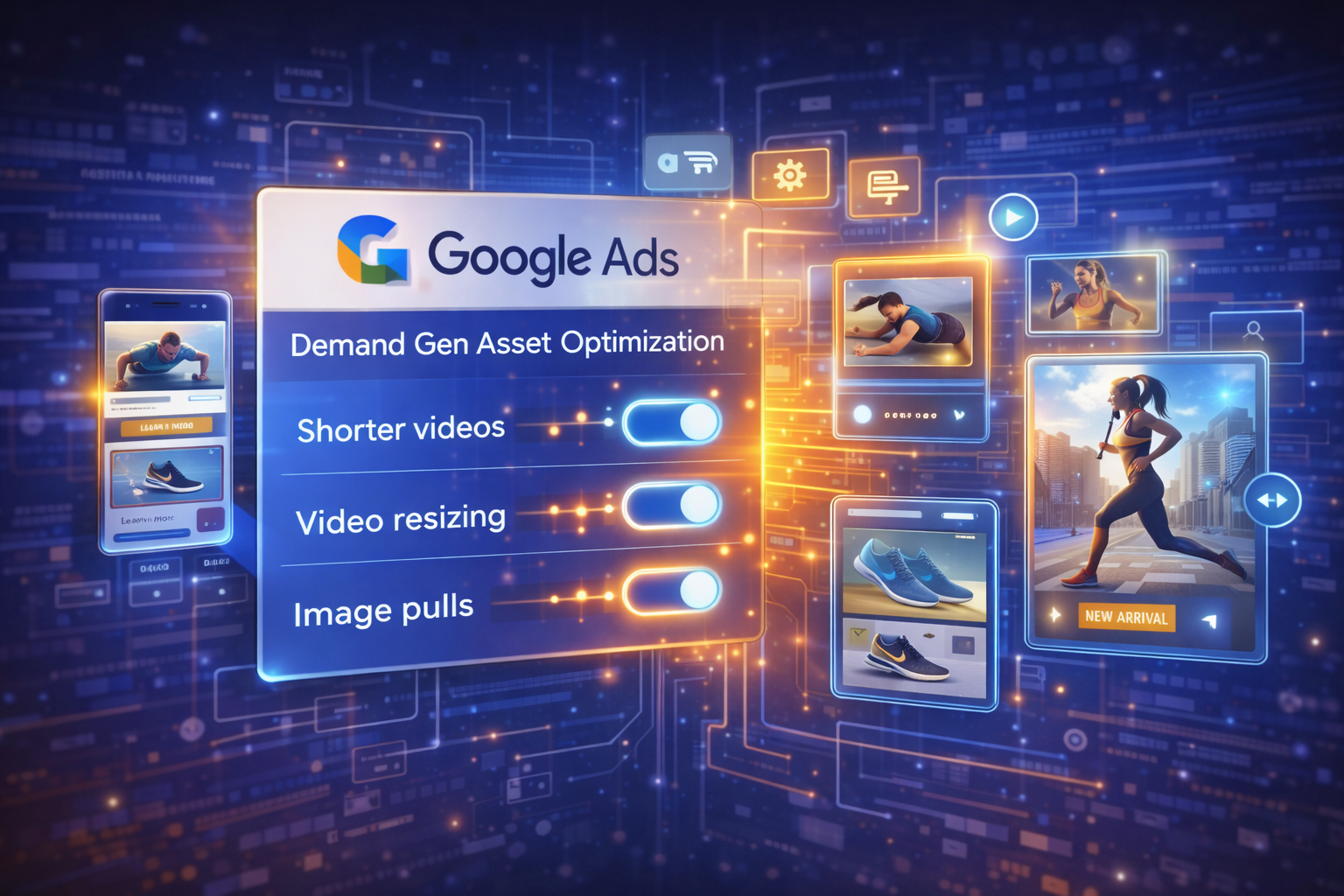
Digital advertising platforms are continuously evolving to help marketers manage campaigns more efficiently. Recently, Google introduced a redesign to the Asset Optimization interface for Demand Gen campaigns in Google Ads. This update simplifies creative automation controls and brings multiple AI-driven features into a single, centralized panel.
The new layout is designed to help advertisers optimize their ad creatives faster while maximizing reach across multiple placements. For marketers managing large volumes of ads, this change could significantly reduce the time spent navigating through campaign settings.
In this article, we explore what changed, how the new interface works, and what advertisers should do to benefit from this update.
Understanding Demand Gen Campaigns
Demand Gen campaigns in Google Ads are designed to help brands generate interest and awareness across Google’s visual platforms such as YouTube, Gmail, and Discover.
Unlike traditional search ads that target users actively searching for products or services, Demand Gen campaigns focus on visual discovery and audience engagement. These campaigns allow businesses to showcase compelling images, videos, and creative assets to users while they are browsing content online.
By combining creative storytelling with advanced audience targeting, Demand Gen campaigns help brands reach potential customers earlier in the buying journey.
What Is Changing in the Asset Optimization Layout?
Google has refreshed the Asset Optimization section within Demand Gen campaigns to make it easier for advertisers to manage creative automation features.
The new interface consolidates several AI-powered tools into a single, streamlined panel, allowing advertisers to enable or disable automation features with simple toggles instead of navigating through multiple settings.
This redesign focuses on improving usability and efficiency for advertisers who manage creative assets at scale.
Key Features in the New Asset Optimization Panel
The updated layout includes three major creative automation capabilities.
1. Auto-Generated Shorter Videos
One of the most useful features is the ability to automatically generate shorter versions of video ads.
Google’s AI can trim existing video assets into shorter clips, allowing the ad to qualify for additional placements across different formats and devices.
Benefits include:
- Increased inventory coverage
- Better compatibility with short-form video placements
- More opportunities for engagement
This feature helps advertisers maximize the value of existing video content without requiring additional production work.
2. Automatic Video Resizing
Another important feature is automatic video resizing.
Different platforms require different video aspect ratios. Instead of manually creating multiple versions of the same video, Google Ads can now automatically adapt video assets to fit various formats.
For example, the platform may automatically convert:
- Horizontal videos into vertical formats
- Landscape videos into square formats
- Standard videos into mobile-friendly layouts
This allows campaigns to appear across more placements, increasing reach and engagement potential.
3. Landing Page Image Pulls
Google Ads can now automatically pull images directly from an advertiser’s landing page and use them as additional creative assets.
This feature enables advertisers to generate new image variations without uploading additional files manually.
Advantages include:
- Faster campaign setup
- More creative variations for testing
- Increased scalability for large campaigns
For advertisers who frequently launch campaigns, this automation can significantly reduce manual creative work.
Why This Update Matters for Advertisers
The refreshed interface focuses on simplifying creative optimization and improving campaign efficiency.
Here are some key benefits of the update:
1. Faster Campaign Management
Advertisers can now control multiple creative automation features from one place, saving time and simplifying campaign setup.
2. More Creative Variations
By automatically generating resized videos and additional image assets, Google Ads increases the number of creative combinations available for testing.
3. Expanded Reach
Creative assets optimized for multiple placements allow campaigns to appear across a wider range of Google surfaces.
4. Reduced Manual Work
Automation eliminates the need to manually produce multiple versions of the same ad assets.
Best Practices for Using the New Asset Optimization Features
To take full advantage of the update, advertisers should follow a few strategic practices.
Review Automation Settings
Log into Google Ads and review which automation features are currently enabled in the Asset Optimization panel.
Use High-Quality Original Assets
AI can adapt and optimize creative assets, but the quality of the original content still matters.
Upload high-resolution images and professionally produced videos whenever possible.
Test Multiple Creative Variations
More asset combinations increase the chances of identifying high-performing ads.
Allow Google’s machine learning systems to test different formats and placements.
Monitor Performance Metrics
Regularly analyze metrics such as:
- Click-through rate (CTR)
- Conversion rate
- Cost per acquisition (CPA)
- Engagement metrics
These insights will help you determine which automated features deliver the best results.
The Future of AI-Powered Advertising
This update reflects a broader trend in digital advertising: increasing reliance on AI and automation.
Google is gradually shifting toward AI-driven campaign optimization, where algorithms help manage creative formats, targeting, and bidding strategies.
While automation simplifies many tasks, human oversight remains essential. Successful advertisers will combine AI capabilities with strategic campaign planning and data analysis.
Final Thoughts
The refreshed Asset Optimization layout for Demand Gen campaigns is another step toward making Google Ads more automated and user-friendly.
By centralizing creative automation tools into a single interface, Google allows advertisers to manage assets more efficiently while expanding campaign reach across multiple placements.
For marketers, this update represents an opportunity to scale creative testing, reduce manual workload, and leverage AI to improve advertising performance.
Businesses running Demand Gen campaigns should review the new panel and ensure they are taking full advantage of the available automation features.
Disclaimer
This article is for informational and educational purposes only. The information discussed in this article is based on publicly available industry updates originally reported by Search Engine Land. All trademarks and platform names, including Google Ads, belong to their respective owners. The analysis provided here reflects independent commentary and is not affiliated with or endorsed by Google or the original publisher.
For more digital marketing insights, strategies, and updates, visit
https://adifydigitalmarketing.com/